
DoS'ing YouTube with an MP4

Florian Mathieu
, 4 min read, filed under security
- Go
- MP4
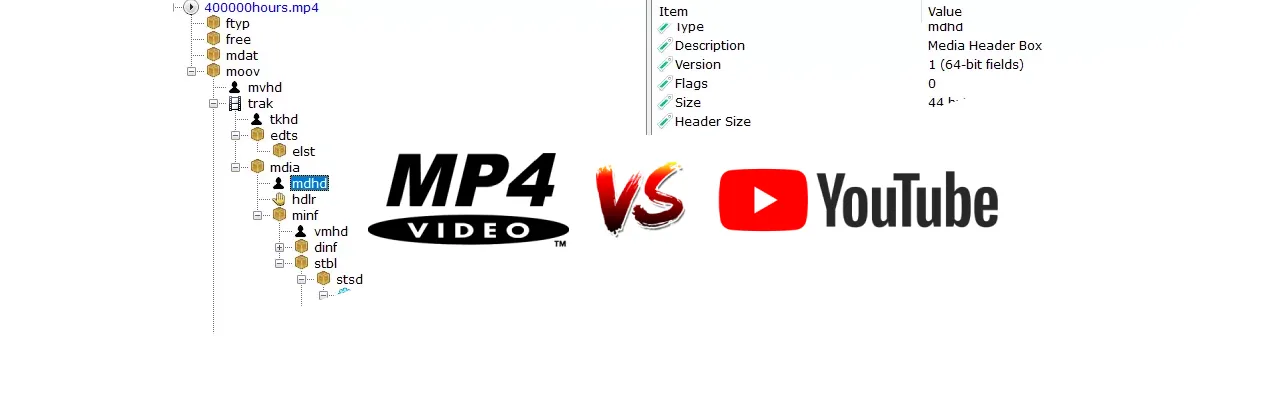
I accidentally discovered a potential vulnerability in YouTube during a late-night debugging session on an MP4 muxer. This is the story of how a simple bug in my own code made me rethink the security implications of a video transcoding pipeline.
Understanding muxers
If you don’t know what a “muxer” is, that’s fine. I didn’t have a clue either, until I had to fix one.
Muxing is an abbreviation of multiplexing. Muxing is the process of encapsulating multiple encoded streams – audio, video, and subtitles (if any) – into a container format, such as AVI, Ogg, or Matroska. (Quoted from VideoLAN)
A muxer is simply a piece of software that performs multiplexing.
My muxer had a bug, a serious one. I had set it to record 10 seconds of video, yet it produced a sped-up version of 8 seconds. The muxer was open source and written in Go, so I figured it would be a relatively easy fix. Just adjust some timestamps, right?
Well, it turns out there are quite a few kinds of timestamps in the MP4 format:
- Decode Timestamps (DTS): when to decode the frames
- Presentation Timestamps (PTS): when to present the frames on the screen
- Composition Timestamps (CTS): the offset between a frame’s decode and presentation times, needed when frames are decoded out of order (B-frames)
Each of them serves a distinct purpose, but my bug was in the presentation timestamps: my video frames weren’t being displayed at the right time.
Timestamps in MP4 aren’t the kind you might expect, like Unix timestamps. Instead, they measure time from the start of the video.
Say you want to display a frame at the five-second mark. You’d calculate its timestamp as follows:
ts = 5 * timeScaleHere, timeScale is an arbitrary value you pick, which essentially tells decoders that:
1 second = timeScaleDiscovering the bug
One of the bugs in my muxer was that the MP4 header announced a timeScale of 12,000, while the muxer actually used 10,000 when calculating durations. This had an interesting side effect: the decoder thought a presentation timestamp of 20,000 meant 1.67 seconds instead of 2 seconds.
While playing with the presentation timestamps, I suddenly produced this video: 4 MB in size, yet claiming to contain 15 hours of footage.
Now, what would you do if you came across such a strange file? Well, I uploaded it to YouTube, and to my surprise it wasn’t rejected for being longer than 12 hours. In fact, the thumbnail service tried to generate thumbnails for it. A few days went by before it finally failed with an error message:
Processing abandoned Video is too long.
Assessing the impact
I decided to generate a few test videos and see how they behaved in the pipeline. I made a three-hour version that was also 4 MB, but after YouTube had processed it, it had become an 825 MB monster.
This gave a clue about what happens behind the scenes. YouTube always transcodes videos into a variety of formats (4K, 1080p, 720p, etc.), and in the process it enforces a constant frame rate (CFR): a fancy way of saying that every second of video contains exactly the same number of frames. The alternative is a variable frame rate (VFR), which is interesting if you’re optimizing for storage.
Since the three-hour video had grown about 200 times larger, I decided to ramp things up. I settled on a video that claimed to last 750 days, which by my calculations should have resulted in a file of several terabytes.
Reporting to YouTube
At that point I reported it to YouTube as a potential security issue, and not long after, I received an email:
Hello,
Thanks for reporting this bug. We have notified the team about this issue; they will review your report and decide whether they want to make a change or not.
As a part of our Vulnerability Reward Program, we decided that it does not meet the bar for a financial reward, but we would like to acknowledge your contribution to Google security in our Hall of Fame:
https://bughunter.withgoogle.com/rank/hm
If you wish to be added to the Honorable Mentions page, please create a profile here: https://bughunter.withgoogle.com/new_profile
Your ranking is based on the number of valid reports.
Regards, Google Security Bot
As far as I can tell, the impact was rather low, because their transcoders are set up to eventually give up on a file that takes too many resources. They didn’t disclose what exactly happened behind the scenes, so I can only guess. I believe the thumbnail service, which has to decode the file, eventually gave up, which left the video stuck in the “processing” phase.
Bonus: naive duration estimation is a sin
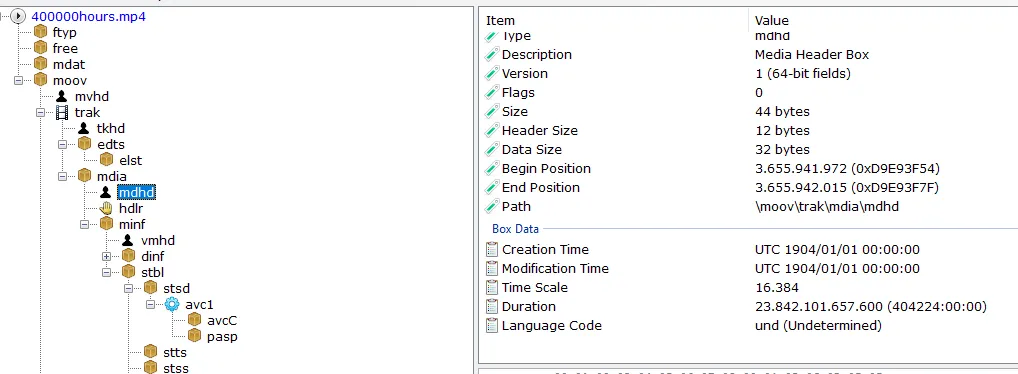
An MP4 file can lie about its duration in its header and contain a much longer video than it claims.
For example, the metadata box can claim a duration of 15 minutes while the video actually lasts 24 hours. The transcoding process typically recalculates the real duration instead of relying on the metadata.
So when you validate the duration of a video, derive it from the actual video frames rather than the metadata.
The metadata is located at:
MOOV -> TRAK (video) -> MDIA -> MDHD
Takeaways?
- The size of a video file says nothing about how long it is.
- CFR transcoding can lead to denial-of-service issues if you don’t validate the duration properly.
- Validate a video’s duration from its frames; don’t rely on the metadata.
Questions or comments? Reply to the post on X.